Service · Software Development
SoftwareDevelopment
Systems that work. Code that lasts. A team that gives a damn.
Software development isn't about writing code. It's about understanding what you're building, what problem you're solving, and for whom. Then turning that into a real product that holds up — even with 100,000 users hitting it at the same time.
01
The method
There are no shortcuts to good software — there's a method, and there are production systems you can check.
From early-stage MVPs to core systems that businesses run their daily work through. Every project taught us something about cutting through the noise, avoiding traps, and shipping at the highest level. The projects themselves appear further down this page — with what we built in each.
02 / Build or adapt
When to build custom software — and when to adapt an off-the-shelf product
Custom development isn't always the answer. The decision comes down to a few questions you can answer before anyone talks about technology.
| Question | Points to off-the-shelf | Points to custom development |
|---|---|---|
| Does your process differ from what the existing product assumes? | No — the process is standard and can be changed to fit the product | Yes — the process is your advantage and changing it hurts the business |
| How many other systems need to talk to it? | Few, and the product has ready integrations for them | Many, or internal systems with no standard interface |
| Who owns the data and the code? | It's enough that the data can be exported | Owning the code and data is a requirement — regulatory or commercial |
| How many external users will touch it? | Mostly a small internal team | Customers, suppliers or partners — and their experience is part of the product |
| What happens if the product changes its pricing or shuts down? | You can move to another product in reasonable time | The system is the core of the business and single-vendor dependence is unacceptable |
03 / What we build
What we build
End-to-end engineering — web systems, mobile apps, custom internal tools, integrations, cloud infrastructure, and automation.
04 / What the system includes
What a custom system actually includes
"A system" means several layers, each of which is work in its own right. This is what appears in almost every project — and what has to be defined before starting.
| Layer | What gets defined | Question that must be answered before development |
|---|---|---|
| Entities and data | What the system manages: customers, orders, documents, devices — and the relationships between them | What is the source of truth for each entity — the new system or an existing one? |
| Roles and permissions | Who sees what, who can change what, who approves. Admin, employee, customer, supplier, partner | Is there an action that needs two people, and what happens when a role changes hands? |
| Processes and states | The lifecycle of each entity: draft → pending → approved → closed, and who moves it between states | What happens in exceptions — cancellation, rollback, change after approval? |
| User interfaces | Admin panel, employee interface, customer or supplier portal, app — each audience gets its own interface | Which of them are required in the first version and which can wait? |
| Integrations | Payments, accounting, email and SMS, government systems, an existing ERP, maps | Who has access to each external system, and what happens when it's unavailable? |
| Reporting and operations | Management reports, audit logs, backups, monitoring, alerts | Which questions must management be able to answer from the system without asking a developer? |
05 / Systems we built
Systems we built — running in production
Software development is measured in products that work, not in decks. Six systems running in production, with what we built in each: on what infrastructure, and where the real difficulty was.
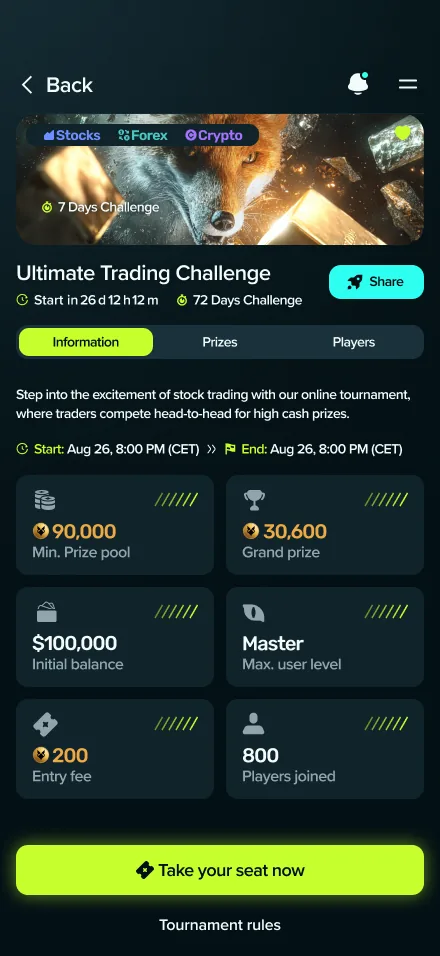
FINTECH · GAMING
Dividandy — Financial markets. As a competitive game.A mobile-first gaming platform that transforms financial markets into a real-time competitive arena: tournaments, virtual capital, live market data and leaderboards.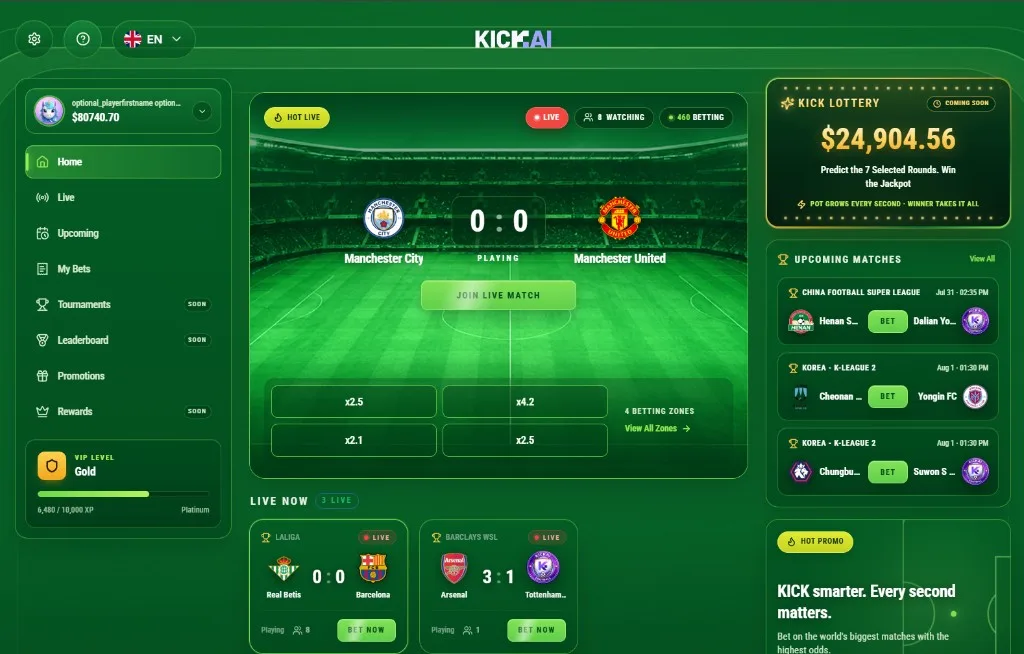
SPORTS GAMING · REAL-TIME
KICK AI — Football gaming. In real time.An interactive sports gaming platform combining live football broadcasts, real-time predictions and a fast-paced gaming experience.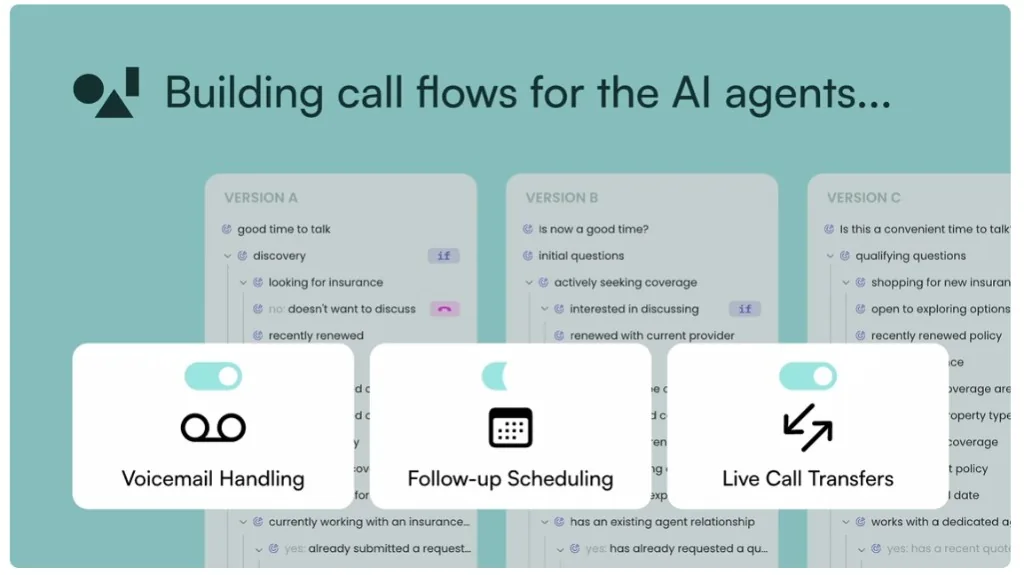
AI · VOICE · ACQUIRED
OneAI — Five years together. All the way to acquisition.A conversational AI platform that developed language intelligence, AI agents and autonomous voice technology for businesses — acquired by monday.com in 2026.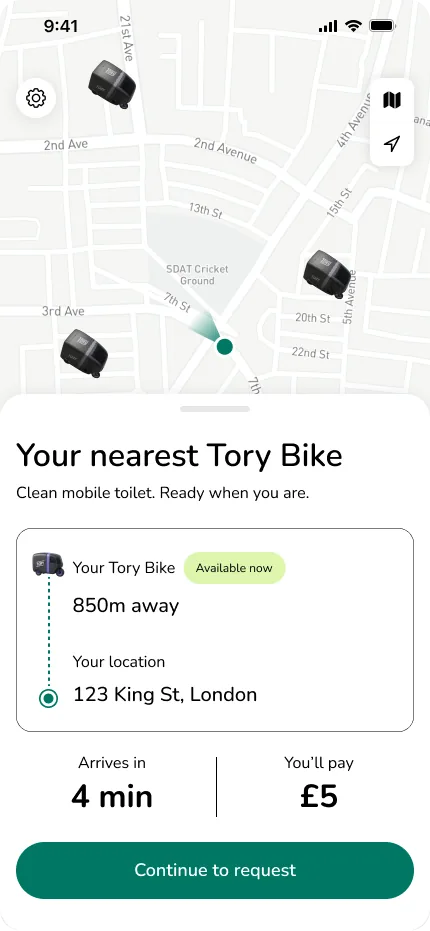
ON-DEMAND · MOBILE
Tory — Mobile services, on-demand.An on-demand mobile services platform that brings the service straight to you.
06 / Technology
We don't fall in love with technology — we pick the right tool for the job.
Our CTO follows the industry obsessively. Every new framework, every approach, every tool — he knows it, tests it, and decides what's actually worth using. More importantly, we know when to use what, and when to walk away.
Frontend
- React
- Next.js
- Remix
- Vue
- TypeScript
- Tailwind
Backend
- Node.js
- Python
- Go
- .NET
- GraphQL
- REST
Mobile
- React Native
- Flutter
- Swift
- Kotlin
Databases
- PostgreSQL
- MongoDB
- Redis
- Elasticsearch
Cloud
- AWS
- GCP
- Azure
DevOps
- Docker
- Kubernetes
- CI/CD
- Terraform
07 / How we work
How we work
- 01
Discovery meeting
You explain. We ask questions until we fully understand. Then we ask more. Because if we don't understand the problem, we can't actually solve it.
- 02
Architecture & planning
A detailed plan — what we build, in what order, on what stack, how long. Realistic. No fantasy timelines.
- 03
Design & UX
Before a single line of code, we design the experience. Changing a screen in Figma is cheap. Changing it after it's coded is expensive.
- 04
Iterative development
Two-week sprints. End of every sprint there's something live to see. You don't wait three months to find out where things stand.
- 05
QA, launch & beyond
Testing, deployment, ongoing support. A bug after launch isn't the end — someone handles it, within the scope and hours set in the maintenance agreement.
08 / Define and deliver
How scope is defined — and what is delivered at the end
A custom system is delivered as your asset: code, data, documentation and access. This is what it looks like from definition to handover.
- 01
Scope document
Entities, roles, processes, interfaces and integrations — what is in the first version and what is not. This is the document the proposal is based on, and you approve it before we start.
- 02
Working versions, not slide decks
Each stage ends with a system you can log into and test with real data. Feedback is collected on something that works — not on a description.
- 03
Data migration and onboarding
If a system already exists — a migration plan is defined up front: what moves, what stays, how it's verified. Training for the people who will use the system is part of the handover.
- 04
Handover: code, access, documentation
The repository in your name, cloud accounts and domain in your ownership, operating and configuration documentation, and a list of what was built against the scope document. Maintenance after that — under a separate agreement with an agreed scope.
What this looks like in a real project
Tory is an example of a multi-sided system: a client app, a driver app and an operations platform on one real-time backbone, each with its own flows and permissions; an auto-dispatch engine that assigns jobs by rules you can read; and live ETA tracking that the customer sees and operations controls. The case study describes what was built, the decisions behind the structure and exactly what was delivered.
The Tory case study — an on-demand services platform09 / What drives scope
What drives project scope and budget
No figures here — every system is different. But these are the factors that move scope the most, and most of them can be influenced at the definition stage.
10 / When the system serves several customers
When the system serves several customers — what changes
A system built for one customer and a system serving several separate customers (a service model, SaaS) can look identical in the screens. The difference is in the layer underneath, and most of it has to be decided before development — not after.
| Layer | In a single-customer system | With several customers |
|---|---|---|
| Data separation | All data belongs to one organization | Every record, file, search and report is filtered by customer; an architectural decision that is not changed after launch |
| Roles and permissions | One set of roles for the organization | Roles inside each customer, plus your own roles (support, admin) with a log of every access to customer data |
| Plans and entitlements | None — everyone gets everything | What each plan allows (users, volume, features) is enforced in code, not in a document |
| Billing and subscription states | One contract, outside the system | Trial, active, plan change, payment failure, suspension, cancellation — a defined behavior for each state |
| Operations | Backup and updates coordinated with one customer | Restore for a single customer, releases that drop no one, support with clear access boundaries |
11 / Guide
How do you choose a software development company for your next project?
What a strong engineering team looks like, which questions to ask in the first meeting, and why thinking long-term matters more than the code itself.
12 / Who it's for
Who this is for
13 / Why us
Why us
FAQ
Frequently asked questions
It depends on complexity. A simple MVP — 6 to 8 weeks. A full SaaS platform — 3 to 6 months. An enterprise application — 6 to 12 months. We'll give you a precise number after one discovery meeting.
It depends on scope, complexity and how many specializts are involved — not on "hours of code". A precise quote comes after we understand the project in depth. So you arrive with realistic expectations, we published a guide on how an estimate is built: what it is made of, what moves it up or down and how to read a range.
How a web system development estimate is builtBoth. Projects with a clear scope — fixed price. Projects that evolve along the way — hourly with a cap. We recommend based on what's right for the project.
Maintenance, new features, bug fixes, scaling. We don't disappear. Most of our clients work with us for years.
Both. We can take existing code, audit it, fix it, and continue. Or start clean — depending on what makes sense.
You do. No "buts." Your code, your repository, everything is yours.
Yes. Both native and cross-platform. We'll recommend what's right for you once we understand the product.
Mobile app development for iOS and Android — the full serviceCheck three things: does the team ask about the business problem before it talks technology; are there products it built that you can open and test in production; and who stays accountable after launch. We wrote a full guide, including the questions to ask in the first meeting.
The guide: how to choose a software development company for your next projectBoth models are possible. Most of our projects involve deep integration with your team — over Zoom, Slack, or in person when needed.
Keep reading
- GuideHow a web system development estimate is builtWhat an estimate is made of, what moves it up or down, and how to read a range. No prices — a method.
- GuideHow do you choose a software development company for your next project?What a strong engineering team looks like, which questions to ask in the first meeting, and why to plan for version ten — not just version one.
- Case studyCase study: Tory — on-demand mobile servicesWe built a client app, a driver app, and a real-time dispatch backend from scratch. Architecture, matching engine, and an order flow measured in seconds.
Let's talk
Got a project in mind?
A 30-minute intro call. No strings attached. We'll figure out together if we're a fit.
Straight. To the point. On time.